When you partner with a dental lab, you’re looking for more than just a product; you’re looking for a collaborator who understands your standards. The best clinical outcomes happen when communication is effortless and precise. The digital dentistry workflow is the ultimate tool for strengthening this partnership. Instead of shipping stone models and paper forms, you send clean, accurate data in an instant. This allows for real-time feedback, eliminates guesswork, and ensures your lab technician sees exactly what you see chairside. We’ll explore how this connected approach reduces errors, speeds up turnaround times, and helps deliver consistently excellent results for your patients.
The digital dental workflow is a shared language across the operatory and lab. When data is clean and communication is tight, restorations arrive with the fit, shade, and occlusion that keep schedules smooth and patients happy.
What is a Digital Dentistry Workflow?
A digital dentistry workflow is the process of using digital technology to manage patient cases from the initial scan to the final restoration. Instead of relying on physical molds and stone models, this modern approach uses digital tools to design, create, and place dental prosthetics like crowns, bridges, and dentures. It’s about swapping out the old analog steps for a more streamlined, accurate, and collaborative digital process. This shift connects your practice directly to the lab through a seamless flow of data, creating a more predictable and efficient system for everyone involved. The result is a faster, more precise process that benefits both your team and your patients.
From Impression Trays to Digital Files
The first step in any digital workflow is capturing a precise image of the patient’s mouth, and this is where the intraoral scanner comes in. These handheld wands have completely changed the game. As one source puts it, “Intraoral scanners capture detailed 3D digital impressions, replacing physical, uncomfortable impressions.” This means no more goopy, gag-inducing impression trays for your patients. Instead, you get a highly accurate 3D model of the patient’s teeth and gums in minutes. This digital file can be instantly reviewed for accuracy and then sent electronically to your lab partner, kicking off the production of everything from crowns and bridges to implant restorations.
A Brief History of CAD/CAM
While digital dentistry feels cutting-edge, its roots go back decades. The core technology, computer-aided design and computer-aided manufacturing (CAD/CAM), has been evolving for a long time. In fact, “it started almost 40 years ago, in 1984, with computer-aided design and manufacturing (CAD/CAM).” Initially used in other industries, CAD/CAM technology was adapted for dentistry to allow for the digital design and milling of restorations. What was once a niche technology has now become the standard for high-quality dental labs, allowing technicians to create restorations with incredible precision and consistency. This mature technology is the engine that powers the modern digital workflow.
Key Benefits of a Digital Workflow
Adopting a digital workflow isn’t just about getting new equipment; it’s about transforming how your practice operates. The benefits extend beyond the operatory, impacting your efficiency, patient satisfaction, and collaboration with your lab. By digitizing key processes, you can reduce manual work, minimize the potential for error, and deliver a higher standard of care. These advantages work together to create a smoother, more predictable experience for your team and a more comfortable, convenient one for your patients. Let’s look at some of the most significant benefits you can expect when you make the switch.
Improve Practice Efficiency
One of the most immediate benefits of going digital is the improvement in overall efficiency. As industry experts note, “Digital workflows save time by reducing manual steps, material handling, and shipping.” Think about it: there’s no need to mix impression material, pour models, or package cases for shipping. A digital scan can be sent to the lab with the click of a button, cutting days off the turnaround time. This speed means you can seat final restorations sooner, freeing up chair time and allowing you to see more patients. Fewer remakes, thanks to the high accuracy of digital impressions, also means less wasted time and resources.
Enhance the Patient Experience
Patients are at the heart of your practice, and a digital workflow significantly improves their experience. The most obvious advantage is the comfort of intraoral scanning over traditional impressions. Beyond that, digital technology makes appointments more engaging and transparent. As one report highlights, “Patients often have fewer visits, shorter chair time, and can see their treatment plan (like a new smile) on screen.” Showing patients a 3D model of their teeth helps them understand their treatment and feel more involved in the process. This modern, comfortable approach can set your practice apart and build stronger patient loyalty.
Strengthen Dentist-Lab Collaboration
Clear communication with your dental lab is crucial for achieving exceptional results, and digital tools make this partnership stronger than ever. According to 3Shape, “Digital platforms make it easier for dentists to work with dental labs and other partners…and improving communication.” When you send a digital case, your lab technician can review the scan immediately and provide feedback in real-time. This instant communication loop allows you to address any potential issues before the restoration is even made, leading to better-fitting crowns, bridges, and dentures. This collaborative process ensures that the final product meets your exact specifications every time.
Reduce Material Use and Storage Needs
A digital workflow also has practical benefits for your office environment. By eliminating the need for physical impressions and models, you reduce your consumption of materials like alginate, PVS, and stone. This not only helps manage your inventory but also cuts down on waste. Furthermore, you can reclaim valuable office space. As one blog points out, “Digital models are stored on computers, not in physical rooms full of plaster models.” Instead of dedicating closets or rooms to storing patient models, all your case files are stored securely on a server or in the cloud, making them easy to access and manage without the physical clutter.
Making the Transition to Digital
Deciding to integrate digital technology into your practice is a big step, but it doesn’t have to be overwhelming. The key is to understand your options and create a plan that works for your team and your budget. The transition is more of a gradual evolution than an overnight revolution. You can start small, learn as you go, and build on your successes. By choosing the right systems and partners, you can ensure a smooth and successful shift that sets your practice up for the future. The goal is to find a path that feels manageable and adds immediate value to your daily operations.
Understanding Open vs. Closed Systems
When you start looking at digital scanners and software, you’ll encounter the terms “open” and “closed.” A closed system is a “technological ecosystem‘ where hardware (scanner) and software (CAD/CAM) are designed only to work together.” This means if you buy a scanner from a certain brand, you’re often locked into using their specific software and milling units. While these systems can be very streamlined, they limit your flexibility. You’re tied to one manufacturer’s technology, updates, and lab network, which might not always align with your practice’s needs or goals as they evolve over time.
Why an Open System Offers More Flexibility
In contrast, open systems are built on the principle of interoperability. They allow “interoperability between different manufacturers’ devices, allowing data to be exported as standardized files (STL or PLY).” This is a game-changer for dental practices. With an open system, you have the freedom to choose the best scanner for your clinical needs and pair it with any compatible software or lab. This flexibility is crucial for long-term success, as it allows you to work with a lab partner like Next Dental Lab, regardless of the scanner you use. You can easily connect your scanner and send files without being restricted by proprietary technology.
Adopting Technology at Your Own Pace
The great thing about digital dentistry is that it’s not an all-or-nothing commitment. You can ease into it. As experts from 3Shape explain, “Dentists don’t have to go fully digital. They can choose to digitize just one step, like taking a digital impression (scan), and still use some traditional methods.” Many practices begin their journey by simply investing in an intraoral scanner. This single piece of technology can have a massive impact by improving impression accuracy and reducing turnaround times. From there, you can gradually incorporate other digital tools as your team becomes more comfortable and as it makes sense for your practice.
Common Challenges and Solutions
While the benefits of a digital workflow are clear, it’s also important to acknowledge the potential challenges. Like any major upgrade, transitioning to digital dentistry involves an initial investment of time, training, and financial resources. However, these hurdles are not insurmountable. By anticipating them and having a solid plan, you can address them head-on. Understanding the common pain points and their solutions will help you make informed decisions and ensure your practice’s transition is as smooth and successful as possible, turning potential obstacles into opportunities for growth and improvement.
The Initial Investment
There’s no getting around it: “Buying the equipment and software can be expensive for dental offices.” The upfront cost of an intraoral scanner and accompanying software is a significant consideration for any practice. However, it’s helpful to view this as an investment rather than just an expense. The long-term returns in efficiency, reduced material use, and fewer remakes can provide a strong return on investment. Furthermore, partnering with a lab that offers high-quality restorations at a competitive value can help balance your budget, allowing you to invest in technology while still managing your overhead effectively.
Team Training and Skill Development
New technology requires new skills. For a successful transition, “dentists and staff need to learn how to use the new technologies.” This learning curve is a critical part of the process. It’s essential to schedule dedicated time for team training and to foster a supportive environment where everyone feels comfortable asking questions. Many technology providers offer comprehensive training and support. Your lab partner can also be a valuable resource, offering guidance on taking great scans and troubleshooting common issues. Investing in your team’s education is just as important as investing in the hardware itself.
Managing Technical Issues
Integrating different pieces of technology can sometimes be complex. As one review notes, “It can be tricky to make all the different digital systems work together smoothly.” This is especially true when you’re trying to connect scanners, software, and your lab’s platform. This is another reason why choosing an open system and a tech-savvy lab partner is so important. A lab that is experienced with a wide range of digital systems can help you troubleshoot compatibility issues and ensure a seamless flow of information. Having a reliable support network is key to overcoming any technical bumps in the road.
Start with a Flawless Scan
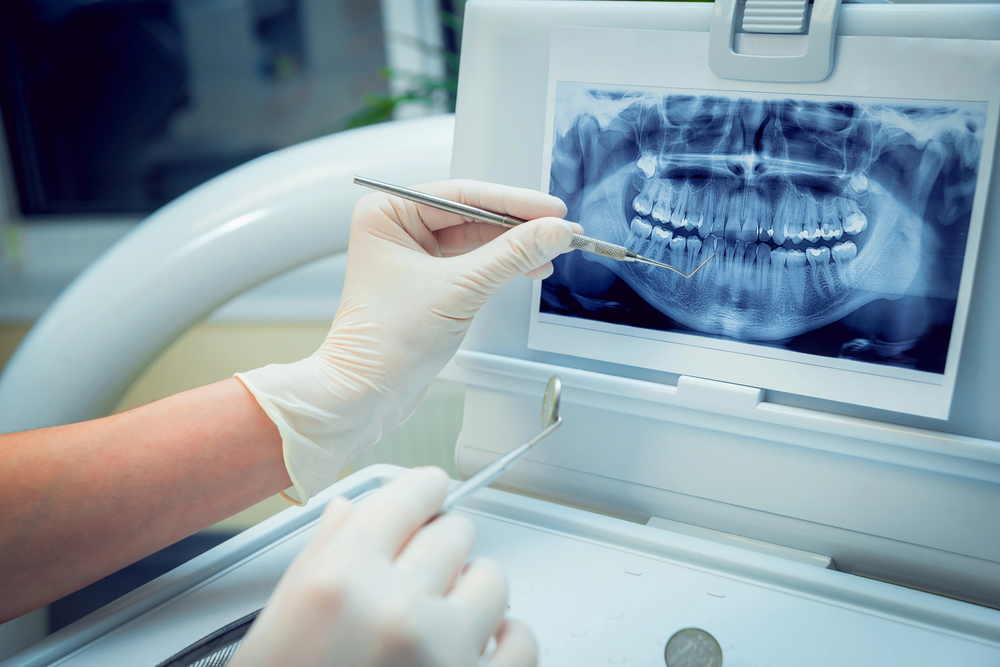 Everything starts chairside with an intraoral scan that captures teeth, soft tissue, and bite in precise detail. Retraction, saliva control, and scan path discipline are non-negotiable foundations for clean datasets. Calibrate scanners, verify margins with real-time magnification, and record opposing arch and interocclusal records for reliable articulation. Photographs add context for shade and surface texture, while notes flag margin design, emergence goals, and occlusal allowances.
Review Your Scan Before Sending to the Lab
Before sending, review the mesh for voids, pulls, and stitching errors. Trim artifacts, smooth marginal ridges sparingly, and confirm that prep reduction and finish lines are visible in 360 degrees. Lock the bite with multiple buccal bite scans to cross-check contact points. Include tooth library references if used and add any pre-prep scans for contour guidance. Clean data reduces remakes and accelerates design time.
Send a Clear and Complete Digital Prescription
Export open-format files with clear labeling and complete prescriptions. Attach photos for shade tabs, stump shade, and gingival profile. Communicate material choice and functional intent: monolithic zirconia for strength, lithium disilicate for translucency, or layered ceramics for premium esthetics. For implants, add scan bodies, fixture brand, platform details, and soft tissue scans to support custom abutment emergence and cleansability.
How We Design for a Perfect Fit and Function
In the dental lab, CAD software aligns arches, sets a virtual articulator, and builds anatomical proposals from tooth libraries. Margin detection is refined, insertion paths are validated, and minimum thickness checks confirm structural durability. Contacts are tuned to the prescription, occlusion is refined for group function or cuspid guidance, and emergence is sculpted for tissue stability. For implants, abutment design balances ferrule, screw access, and torque targets.
Prepping the Design for Milling
CAM planning nests units to conserve material and support milling quality. Multi-layer zirconia positioning optimizes incisal translucency and cervical chroma. PMMA provisionals are staged to test occlusion and phonetics when needed. For lithium disilicate, sprue placement and crystallization cycles are mapped to preserve strength and esthetics. Toolpath strategies minimize chatter and protect margins.
Bringing Your Digital Restoration to Life
Precision milling produces the framework or monolithic body. Zirconia sintering follows validated thermal curves, then staining and glazing bring life to mamelons, halos, and surface luster. Emax is crystallized to final strength, then polished. Hybrid and implant cases receive custom abutments and try-in verifications, with screw channels aligned and properly countersunk for composite closure.
Our Final Checks for a Flawless Fit
Fit is verified on printed or analog models and, when available, on digital printed soft tissue replicas for subgingival margins. Proximal contacts are checked for pass-through floss resistance. Static and dynamic occlusion is validated with shimstock targets and articulator programming. Shade is reviewed under standardized lighting with cross-polarized photos. Final cleaning leaves bonding surfaces pristine for chairside cementation or screw retention.
Seating the Restoration and Closing the Loop
At delivery, adhesive selection matches the substrate and prep design. Try-in photos and bite scans after seating create a post-case record. If adjustments occur, that data returns to the lab to refine future proposals. Over time, this loop yields faster approvals and fewer chairside tweaks.
The Bigger Picture: Digital Dentistry Trends
The digital workflow isn’t just about improving a single crown or bridge case; it’s part of a larger shift transforming the entire dental industry. From patient communication to treatment planning, digital tools are creating new standards for efficiency, accuracy, and care. Understanding these trends helps your practice stay current and prepare for what’s ahead. The move toward digital isn’t just a fad—it’s a fundamental change in how we approach dentistry, making it more predictable and patient-focused. By embracing these changes, you can streamline your operations and deliver even better outcomes.
Industry Adoption and Growth Rates
Digital workflows are quickly becoming the backbone of modern dental practices, and for good reason. The efficiency gains are significant. By replacing manual steps with digital processes, practices can reduce chair time, minimize material waste, and shorten turnaround times for restorations. Some dentists report that efficient digital workflows allow them to manage a higher volume of cases without compromising quality. This shift is driven by technology that is more accessible and user-friendly than ever before. As more practices invest in intraoral scanners and digital design software, the expectation for seamless digital collaboration with labs grows, making it a key part of running a competitive practice.
Applications Beyond Restorative Work
While crowns and bridges were early drivers of CAD/CAM technology, the applications of digital dentistry now extend into nearly every specialty. The core technologies—including 3D imaging, intraoral scanners, and 3D printing—are versatile tools that improve diagnostics and treatment across the board. This expansion means that a single digital investment, like an intraoral scanner, can add value to multiple areas of your practice. From surgical guides for implant placement to planning orthodontic cases, digital tools provide a level of precision that was previously difficult to achieve, ultimately enhancing patient care.
Orthodontics and Clear Aligners
The clear aligner market has exploded, and it runs entirely on digital technology. Accurate 3D models created from intraoral scans are essential for planning precise tooth movements and fabricating custom aligners. This digital approach allows dentists to visualize the entire treatment plan from start to finish and make adjustments before treatment even begins. The precision of these digital models helps ensure a better fit for appliances and more predictable outcomes for patients, making orthodontic treatments faster and more comfortable than ever.
Teledentistry
Digital tools have also changed how dentists interact with patients outside the office. Teledentistry uses video calls and digital messaging to conduct remote consultations, follow-up appointments, and triage emergencies. This approach makes dental care more accessible for patients who may have difficulty traveling or need a quick check-in. It allows you to maintain a strong connection with your patients while managing your schedule more effectively, offering a convenient and modern way to provide ongoing care and advice.
What’s Next? AI and 3D Printing
The evolution of digital dentistry is far from over. Two of the most exciting frontiers are artificial intelligence (AI) and 3D printing. AI is beginning to play a role in diagnostics by helping to identify pathologies on radiographs and in treatment planning by generating ideal restoration proposals. At the same time, 3D printing is becoming more affordable and capable, allowing for the in-office fabrication of surgical guides, custom trays, and even temporary restorations. As these technologies mature, they will continue to automate and refine dental processes, paving the way for even more personalized and efficient patient care.
Ready to Streamline Your Digital Workflow?
Go fully digital with Next Dental Lab and link your scanner in minutes for fast, reliable case transfers. New accounts can register, claim first‑case perks, and request eligible $0 scanner offers, then scan and send the same day. Our digital team approves requests quickly and supports open‑system STL workflows. Set up the connection, send a case with photos and RX, and keep your schedule moving with streamlined turnarounds.
Frequently Asked Questions
Can I adopt a digital workflow gradually, or do I have to buy everything at once? You absolutely do not have to go all-in from day one. Many practices find success by starting with a single piece of technology, like an intraoral scanner. This one change can dramatically improve your impression quality and shorten case turnaround times. You can master the scanning process first and then explore other digital tools as your team gets comfortable and you see the value it brings to your practice.
What if I already own a scanner? How do I know if it will work with your lab? That’s great news, as you’ve already taken the first step. We partner with practices using a wide variety of scanners because we operate on an open-system philosophy. This means as long as your scanner can export a standard file type, like an STL or PLY file, we can almost certainly work with it. You can easily connect your scanner to our lab and start sending cases right away.
What is the most critical step I can take to ensure my digital cases turn out well? The success of any restoration, digital or analog, starts with the prep and impression. For digital cases, the most important thing you can do is carefully review your scan before you send it. Take a moment to magnify the margins and check for any voids, pulls, or data artifacts. A clean, complete scan is the best foundation for a restoration that fits perfectly and requires minimal chairside adjustments.
Besides patient comfort, what is the biggest practical advantage of switching to a digital workflow? The most significant advantage is the gain in practice efficiency. Sending a digital file to the lab is instantaneous, which cuts out shipping time and gets your case into production faster. The high accuracy of digital scans also leads to fewer remakes. This combination of faster turnarounds and predictable results means less wasted chair time, allowing you to streamline your schedule and focus on patient care.
Without a physical stone model, how do you guarantee the fit of the final restoration? This is a common question, and the answer lies in the precision of the technology. We use sophisticated CAD software to design your restoration on a highly accurate 3D model of your scan. This allows our technicians to check contacts, occlusion, and insertion paths with incredible detail. We also verify the final fit on precise 3D printed models, ensuring every crown, bridge, or implant restoration meets our exacting standards before it ever leaves the lab.
Key Takeaways
- Embrace digital for a better practice: A digital workflow streamlines your operations, improves the patient experience, and strengthens your partnership with the lab for more predictable results.
- Transition to digital on your terms: You can start small with just an intraoral scanner. Choosing an open system gives you the freedom to work with any lab and add new technology as you see fit.
- A great restoration starts with a great scan: The quality of your final case is directly tied to the accuracy of your initial scan and digital prescription; clean, complete data is essential for avoiding remakes and delays.