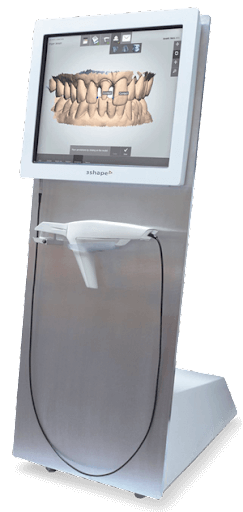
A perfect restoration starts with a perfect digital impression. The scanner you choose is the first and most critical link in the chain connecting your clinical work to the final result from the lab. When considering the Medit i700 vs i900, it’s helpful to think about the data your lab partner receives. While both scanners produce clinically excellent scans, the i900’s ability to capture finer details and richer color can provide technicians with more information to work with. We’ll examine how the image quality, accuracy on challenging surfaces, and data density of each scanner can influence the fabrication process for everything from single crowns to complex hybrid dentures.
Digital dentistry continues to advance rapidly, bringing new technologies that shape how dentists work and patients experience care. The discussion around Medit i700 vs i900 highlights this evolution clearly. Both scanners are built for accuracy and speed, yet they serve slightly different needs within the dental workflow. Knowing how each performs in real procedures helps dentists make informed decisions that align with their clinical goals and efficiency standards.
How Do the i700 and i900 Feel in Your Hand?
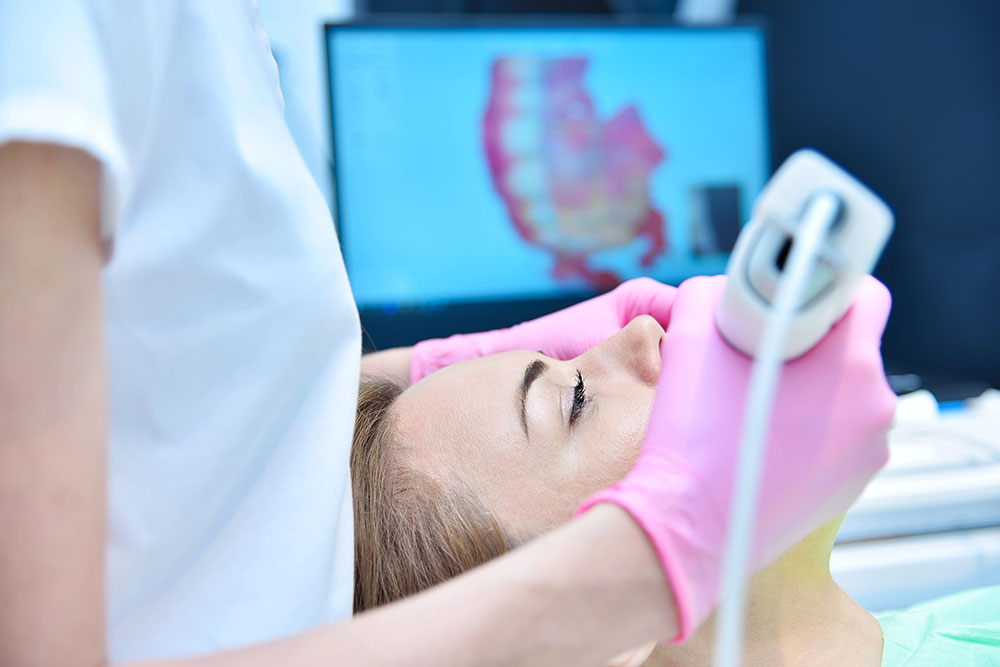 When it comes to daily use, comfort and handling play a major role. The Medit i700 has already been a popular choice among dentists for its wireless design and user-friendly operation. Its moderate weight and smooth movement allow clinicians to capture scans with less fatigue. The Medit i900, on the other hand, focuses on refinement. It features a larger scan head, a lighter frame, and an improved balance that supports longer sessions. These updates reduce strain during extended procedures and make transitions between patients smoother. Both models are ergonomic, but the i900’s design feels more advanced and adaptable for high patient volume environments.
Weight and Dimensions
The physical feel of a scanner is one of the most important factors for a tool you use all day. A device that is too heavy or bulky can lead to fatigue and discomfort, affecting your focus and precision. Medit clearly considered this, as the i900 shows a significant evolution in design focused on making the scanner feel like an extension of your hand. Let’s look at how the two models compare in terms of their weight and overall size.
Medit i900
The Medit i900 is remarkably light, weighing in at just 165 grams. This substantial weight reduction was a primary goal of its redesign, aiming to provide superior ergonomics for the user. A lighter scanner means you can handle it for longer periods without feeling strain in your wrist or arm. This is especially beneficial during complex, full-arch scans or when you have back-to-back patient appointments, allowing you to maintain comfort and control throughout the day.
Medit i700
The Medit i700 is heavier in comparison. The standard wired model weighs over 245 grams, while the i700 Wireless is the heaviest of the series at 328 grams, including the battery. While many clinicians find the i700 comfortable enough for regular use, the difference is noticeable when you hold it side-by-side with the i900. The added weight, particularly in the wireless version, can contribute to fatigue more quickly during extended scanning sessions.
Wired vs. Wireless Models
The choice between a wired or wireless scanner often comes down to personal preference and workflow priorities. The i900 is exclusively a wired scanner, a deliberate design choice that helps it remain exceptionally light and compact. This ensures a stable, uninterrupted connection and power supply without the added bulk of a battery. In contrast, the i700 series gives you the option of a wireless model, which offers complete freedom of movement around the patient chair. However, this freedom comes with the trade-off of increased weight and the need to manage battery life. The decision here is about what you value more: the untethered convenience of the i700 Wireless or the feather-light ergonomics of the wired i900.
Cable and Tip Design
Beyond the main body, Medit also refined the smaller components of the i900 to improve the user experience. The new cable on the i900 is a standout feature—it’s 61% softer and more flexible than the one used on the i700. This might seem like a minor detail, but it makes a big difference in practice. A softer cable creates less drag and resistance as you move the scanner, making the motion feel smoother and more natural. The scanner tips have also been redesigned to be smaller and more ergonomic, which improves patient comfort and makes it easier to access hard-to-reach areas, like the distal surfaces of second molars. These thoughtful improvements contribute to a more efficient and pleasant scanning experience.
Body Construction
The overall build of the i900 feels more polished and robust. It features a unibody design, meaning the main housing is crafted from a single piece of material. This eliminates the seams and joints found on the i700, resulting in a sleeker look that is also much easier to clean and disinfect between appointments—a critical advantage for infection control. The i900 also has a better-balanced design with a thinner grip, making it more comfortable to hold securely. This improved balance reduces any feeling of top-heaviness and allows for more intuitive control. Once you’ve captured the perfect scan, you can easily connect your scanner and submit digital cases to ensure a smooth workflow from impression to restoration.
Which Medit Scanner Is Faster?
Scanning speed is one of the most discussed factors in the Medit i700 vs i900 comparison. The i700 is fast and reliable, capable of completing a quadrant scan in about 35 seconds. It captures fine details efficiently and handles full-arch scans with good consistency. The i900, however, takes scanning a step further. It completes scans faster, requires less warm-up time, and displays sharper textures with higher contrast. The difference may not appear drastic in short procedures, but it adds up significantly in busy practices handling multiple restorations or same-day treatments.
Field of View and Scan Depth
A scanner’s ability to see more in a single pass directly impacts your workflow. The Medit i900 excels here with a 30% larger scanning area (22 x 20 mm) and a deeper scan depth of 30 mm, a significant increase from the i700’s 21 mm. This means you can capture more tooth and tissue detail with less movement, making it easier to scan hard-to-reach posterior areas or deep margins. The i900 also delivers richer color accuracy and handles reflective metal surfaces better, which is a huge advantage when scanning existing crown and bridge work. These enhancements result in a more complete and accurate digital impression, reducing the need for rescans and streamlining your restorative process from the start.
Warm-Up Time
In a busy dental practice, every second counts. The Medit i900 is designed for immediate action, heating up and becoming ready to scan in just 10 to 20 seconds. This near-instant readiness eliminates the frustrating wait time often associated with intraoral scanners, allowing you to begin the procedure as soon as your patient is ready. While the i700 is no slouch, the i900’s rapid warm-up time contributes to a more fluid and uninterrupted workflow between appointments. This efficiency not only keeps your schedule on track but also improves the overall patient experience. Once your scan is captured, you can immediately connect your scanner and send the case to the lab without delay.
Which Scanner Captures Finer Details?
Accurate imaging is the foundation of predictable restorations. Both scanners capture detailed scans with clear margin definition. The i700 produces sharp and well-balanced textures that allow laboratories to design restorations with high precision. The i900 enhances this clarity by adding more depth and definition to the scanned surfaces. Its advanced scan engine creates realistic textures and highlights, improving visual accuracy for both clinicians and lab technicians. This added detail helps reduce remakes and adjustment time when fabricating restorations or dental implants.
Optical Engine and Image Technology
The core of any intraoral scanner is its optical engine, and this is where the i900 introduces a significant update. It features a new, third-generation optical engine designed to improve scanning speed, depth, and color reproduction. This advanced system is much better at scanning reflective metal surfaces and areas where gums might be bleeding, which are common challenges in daily practice. Its improved camera captures clearer, more vibrant images with less digital “noise.” For clinicians, this means it’s easier to see critical details like tooth margins in difficult-to-reach areas, ensuring the digital impressions you send to the lab are as accurate as possible from the very first scan.
Performance on Challenging Surfaces
A scanner’s true test is how it performs on tricky surfaces. The i900 enhances clarity by adding more depth and definition to the scanned images, creating realistic textures and highlights that improve visual accuracy. This is a huge advantage for both you and your lab technician, as it provides a more lifelike representation of the patient’s oral environment. This level of detail helps reduce the likelihood of remakes and minimizes adjustment time when fabricating restorations. Whether you’re working on a single crown or a complex crown and bridge case, the improved performance on challenging surfaces ensures a more predictable and efficient workflow from start to finish.
User Interface and Key Features
Beyond speed and accuracy, the day-to-day experience of using a scanner is what truly shapes your practice’s efficiency. The way you hold, control, and interact with the device during a procedure can make a significant difference. Both the Medit i700 and i900 are designed with the user in mind, but they approach the interface with different philosophies. The i900, in particular, introduces some key advancements that refine the scanning process, making it more intuitive and comfortable for clinicians. Let’s look at how their controls, software, and unique features compare.
Control Method
How you interact with your scanner throughout the day can make a big difference in your workflow. The Medit i700 uses traditional click buttons, which are reliable and familiar to many clinicians. The i900, however, introduces a more advanced control system with its 360-degree touch band and touchpad. This design lets you operate the scanner from any angle without having to shift your grip to find a button. During long or complex procedures, this seamless control helps reduce hand fatigue and keeps the scanning process fluid. It’s a thoughtful update that streamlines the user experience, allowing you to focus more on the patient and less on the tool in your hand.
Software and Subscription Model
One of the best things about the Medit ecosystem is its unified software platform. Both the i700 and i900 run on Medit Link, which means you get a consistent experience regardless of which scanner you choose. If you’re upgrading from the i700 or adding an i900 to your practice, there’s no new software to learn, and your team can adapt instantly. This uniformity makes it simple to integrate either scanner into your existing digital workflow and connect your scanner to our lab. The subscription model also ensures you always have access to the latest features and software updates, keeping your technology current and performing at its best.
Feature Differences
While both scanners deliver excellent results, the i900 includes several key feature upgrades that enhance its capabilities. It offers a deeper scan depth of 30 mm compared to the i700’s 21 mm, which is a significant advantage when capturing deep margins or working on implant cases. The i900 also provides far richer color representation, making scans more lifelike and aiding in shade matching. Furthermore, its performance on reflective surfaces, like metal restorations, is noticeably improved. These advancements allow for more comprehensive imaging, ensuring you capture every intricate detail needed for fabricating precise restorations like hybrid dentures and complex bridgework.
Will These Scanners Work with My Lab?
Both scanners use Medit’s advanced software platform, allowing hassle-free data transfer and integration with open systems. Scans can be exported in STL, PLY, or OBJ formats, giving dental professionals flexibility to collaborate with digital laboratories. This open file compatibility also benefits partnerships with full-service labs like Next Dental Lab, which support a wide range of digital scanners. Efficient data exchange reduces turnaround times and helps teams maintain smooth communication from scan to final restoration.
How Accurate Are They in Practice?
Comparing results from actual cases shows both scanners perform with high precision. In tests using identical crown preparations, the i900 displayed slightly sharper details and less deviation across scan meshes. Still, the i700 remains accurate enough for daily clinical use, including crown, bridge, and implant cases. While the i900’s advanced optics offer an edge for high-end cosmetic or complex restorative work, the i700 continues to meet the demands of most general practices without compromise. The choice often depends on case complexity and patient volume.
Clinical Accuracy Measurements
When it comes to clinical outcomes, both the i700 and i900 deliver impressive precision. Research comparing the two scanners on identical crown preparations found that “the i900 displayed slightly sharper details and less deviation across scan meshes.” However, the study also confirmed that “the i700 remains accurate enough for daily clinical use, including crown, bridge, and implant cases.” For your practice, this means either scanner provides the high-quality data needed for well-fitting restorations. The i900’s slight edge in detail may be beneficial for complex cosmetic cases, but the i700 is a reliable workhorse for the majority of restorative work, ensuring your lab has what it needs to fabricate precise crown and bridge solutions.
User Experience vs. Final Scan Quality
It’s important to distinguish between the scanning experience and the final result. According to the Institute of Digital Dentistry, “The i900 offers a much better experience for the dentist (faster, more comfortable to hold). However, the actual quality of the final scan results (like accuracy and detail) is very similar across all Medit scanners.” This highlights a key difference: the i900 is designed to make the clinician’s job easier and more comfortable, which can reduce chair time and operator fatigue. While you’ll notice the ergonomic improvements, your lab partner will receive a clinically excellent scan from either device. The final restoration quality isn’t compromised with the i700; the primary upgrade with the i900 is in the workflow and handling.
Data Density and File Size
The i900 captures more data points, resulting in a denser scan mesh and, consequently, a larger file size. For example, a full arch scan from the i900 might be around 11.8 MB, while the i700 Wireless produces a file closer to 9.9 MB. A larger file isn’t inherently better, but it can contain more intricate surface detail. The trade-off is that larger files require more processing power and can take longer to upload when you send a digital case to your lab. Both file sizes are manageable with modern internet speeds, but it’s a practical consideration for your practice’s digital infrastructure. The i700 strikes a great balance between detail and file efficiency, while the i900 prioritizes capturing the maximum amount of data.
Setup and System Requirements
Getting a new piece of technology into your practice should be exciting, not a headache. A smooth setup is key to integrating your intraoral scanner into your daily workflow without any friction. Both the Medit i700 and i900 are designed to work efficiently, but they rely on having the right hardware and software in place. Ensuring your computer and network are ready will help you get the most out of your investment from day one and makes it simple to send digital cases to your lab partner without any technical hiccups.
Computer Specifications
The performance of your scanner is directly tied to the computer running it. Medit’s software processes a large amount of visual data in real time, so having a capable machine is non-negotiable. Whether your practice runs on Windows or Mac, there are specific requirements to ensure the software operates smoothly, preventing lag or crashes during a patient scan. Meeting these recommendations helps guarantee that the scanner functions as intended, capturing high-quality data efficiently and reliably for every case, from single crowns to full-arch restorations.
Windows
For practices using Windows, Medit recommends a dedicated PC running Windows 10 Pro. Using a dedicated computer means the scanner’s software doesn’t have to compete with other programs for processing power, which is essential for consistent performance. This setup ensures that the system has enough resources to handle the intensive demands of real-time scanning and data processing. A powerful, dedicated machine prevents frustrating slowdowns and allows you to focus on the patient instead of troubleshooting your tech.
Mac
Good news for Apple enthusiasts—Medit Link software is now available for Mac computers. However, it requires a system with a powerful chip to handle the workload effectively. You’ll need a Mac with at least an M1 Pro, M2 Pro, or a higher-end M2 chip, along with a minimum of 24GB of RAM. These specifications are necessary because the software needs significant processing and memory resources to manage scan data smoothly, ensuring a seamless experience that matches the performance on a high-end PC.
Bundled Hardware and Software
Medit simplifies the setup process, especially with its newer model. Each i900 scanner includes a laptop with the Medit Link software already installed and configured. This bundled approach is a huge advantage because it eliminates the guesswork of finding a compatible computer and dealing with installation issues. You can unbox the system and get started almost immediately. This plug-and-play convenience is perfect for busy practices that want to minimize downtime and ensure their team can start using the new technology right away without a steep learning curve.
Cloud Storage and Calibration
Managing your digital files and maintaining your scanner’s accuracy are two important aspects of long-term use. Medit provides cloud storage through Medit Link, and it’s worth noting that the free storage plan is set to double from 1GB to 2GB. For practices with higher volume, the 10TB plan offers ample space for extensive case files. To maintain peak performance, the i900 requires calibration every three months. This is a straightforward maintenance task that ensures the scanner continues to capture precise and reliable data for every patient, safeguarding the quality of your restorations.
Simplify Your Digital Workflow with a Lab Partner
At Next Dental Lab, we see how digital innovation transforms dental practice efficiency every day. Our experienced technicians work seamlessly with data from the latest scanners, including systems like the i700 and i900. By combining precise digital scans with expert craftsmanship, we help dentists achieve consistent, high-quality results across every restoration. Explore how our partnership can simplify your workflow and improve patient outcomes through technology that works as hard as you do.
Frequently Asked Questions
I already own a Medit i700. Is the upgrade to the i900 truly necessary? That really depends on your practice’s specific needs. The i700 is still an excellent, clinically precise scanner that produces fantastic results. The main advantages of the i900 are centered on user experience: it’s significantly lighter, faster, and more comfortable to handle during long procedures. If you have a high-volume practice or frequently perform full-arch scans, the ergonomic and speed improvements could make a noticeable difference in your day-to-day efficiency and comfort.
Does the improved scan quality of the i900 actually lead to better restorations? Both scanners provide the high-quality data needed for your lab to create precise, well-fitting restorations. The final scan accuracy is very similar between the two. The i900’s advantage is in capturing richer color and finer surface textures, which can give your lab technician more visual cues, especially for complex cosmetic cases. Ultimately, a great restoration comes from a combination of a clean, accurate scan and the expertise of your lab partner.
The i900 is only available as a wired model. Isn’t that a step backward from the i700 Wireless? It’s more of a strategic design choice than a step backward. By making the i900 a wired-only device, Medit was able to make it exceptionally light and balanced. This design eliminates the weight of a battery, which is a major factor in reducing hand and wrist fatigue. They also improved the cable to be much softer and more flexible, so it creates less drag and interference as you work. It’s a trade-off between the complete freedom of a wireless model and the superior ergonomics of the lighter i900.
With new controls like the touch band, is the i900 more complicated to use than the i700? Not at all. The new features are designed to make the scanner more intuitive. The 360-degree touch band, for example, lets you control the device from any angle without having to adjust your grip to find a specific button. This actually simplifies the physical process of scanning. Plus, since both the i700 and i900 run on the same Medit Link software, your digital workflow and your team’s experience on the computer side will remain exactly the same.
How will the larger file sizes from the i900 affect my workflow when sending cases to my lab? The i900 does capture more data, which results in a denser scan mesh and a slightly larger file. However, with a stable internet connection, the difference in upload time is usually minimal and won’t disrupt your workflow. The more important consideration is ensuring your office computer meets the recommended specifications to process that denser data smoothly on your end. Any modern digital lab is fully equipped to receive and work with these files without a problem.
Key Takeaways
- Ergonomics can define your daily workflow: The i900’s significantly lighter build and intuitive touch controls are designed for comfort during back-to-back appointments, while the i700 offers a familiar and reliable handling experience.
- Faster scanning improves practice efficiency: With its larger scanning area and quicker warm-up time, the i900 captures detailed impressions more rapidly, helping to reduce patient chair time and keep your schedule running smoothly.
- Both scanners produce excellent clinical data: While the i900 provides a more refined user experience and captures richer surface detail, both scanners deliver the high-quality, accurate data your lab needs to fabricate precise restorations.